Editor.md、UFile文件上传、回显

Editor.md配合UFile图片上传、回显

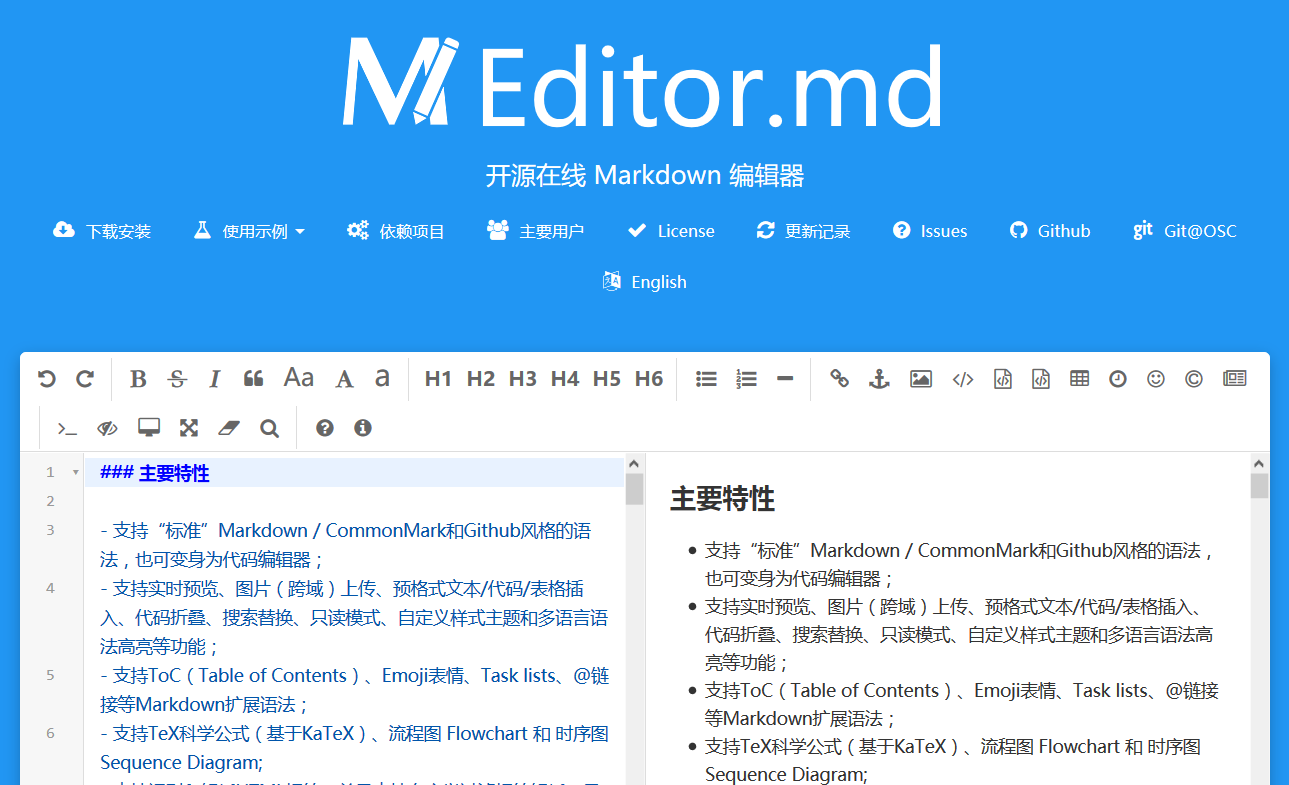
Editor.md是一个开源的Markdown在线编辑器,可作为富文本编辑器使用,UFile是Ucloud对象云存储的服务。

1. Editor.md

官网

引入

下载在Github的源码,然后在Html中引入;

1
2
<link rel="stylesheet" href="/editor.md/css/editormd.min.css"/>
<script src="/editor.md/editormd.js"></script>

Markdown编辑器

初始化编辑器,可输入内容

1
2
3
4
<div id="editor" class="sh_MdEditor">
<textarea style="display:none;" name="content" id="content" placeholder="在此输入文章内容...">
</textarea>
</div>
1
2
3
4
5
6
7
8
9
10
11
12
13
14
15
16
17
18
19
20
21
22
23
24
25
26
<!--初始化编辑器-->
<script type="text/javascript">
$(function () {
var editor = editormd("editor", {
width: "100%",
height: "100%",
// markdown: "xxxx", // dynamic set Markdown text
path: "/editormd/lib/", // Autoload modules mode, codemirror, marked... dependents libs path
delay: 0,
codeFold: true,
htmlDecode: true,
emoji: true,
//图片上传
imageUpload: true,
imageFormats: ["jpg", "jpeg", "gif", "png", "bmp", "webp"],
imageUploadURL: "/imageUpload", // Upload url
crossDomainUpload: false, // Enable/disable Cross-domain upload
uploadCallbackURL: "",
placeholder: '在此输入文章内容,使用markdown语法...',
description: "Markdown 文本编辑",
lang: { // Language data, you can custom your language.
description: "Markdown编辑器<br/>Markdown editor."
}
});
});
</script>

Markdown解析

对Markdown内容进行解析,显示成html,注意,需要额外引入:

1
2
<script src="/editormd/lib/marked.min.js"></script>
<script src="/editormd/lib/prettify.min.js"></script>
1
2
3
4
<!--md解析器                        -->
<div id="md_viewer" class="sh_MdViewer">
<textarea style="display:none;" th:text="${invitationDetail.content}"></textarea>
</div>
1
2
3
4
5
6
7
8
9
10
<script>
$(function () {
//md解析器
var md_viewer = editormd.markdownToHTML("md_viewer", {
// markdown : "[TOC]\n### Hello world!\n## Heading 2", // Also, you can dynamic set Markdown text
htmlDecode: true // Enable / disable HTML tag encode.
// htmlDecode : "style,script,iframe", // Note: If enabled, you should filter some dangerous HTML tags for website security.
});
});
</script>

图片上传前端

配置

图片上传需要在初始化md编辑器的js里设置:

1
2
3
4
5
6
//图片上传
imageUpload: true,//启用图片上传
imageFormats: ["jpg", "jpeg", "gif", "png", "bmp", "webp"],//文件格式限制
imageUploadURL: "/imageUpload", // 上传地址
crossDomainUpload: false, // 是否启用跨域上传
uploadCallbackURL: "", //上传完成后的回调地址

表单

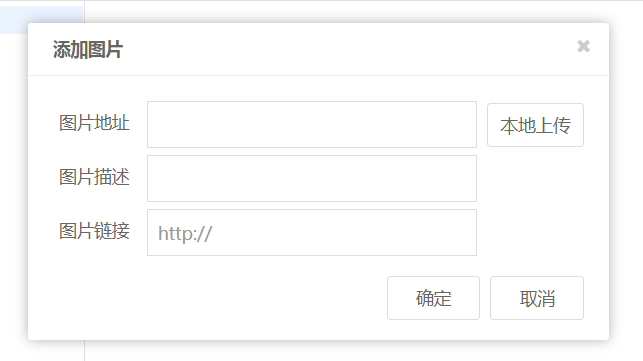
编辑器上传图片,使用的是<ifram>里的form表单,如图:

只是普通的上传文件,然后对文件进行格式限制,传递文件的参数名为:editormd-file-input

Json Data

编辑器需要服务器返回Json数据,以此获得上传结果、图片回显地址。

1
2
3
4
5
{
success : 1, // 0 表示上传失败,1 表示上传成功
message : "上传成功或上传失败及错误信息等。",
url : "回显需要的图片地址" // 上传成功时才返回
}

图片上传Controller

通过前端传递过来的参数、需要的返回值,便可以写出一个临时的Controller

1
2
3
4
5
6
7
8
9
10
11
12
13
14
15
16
17
18
19
20
21
22
23
24
25
26
27
28
29
package cn.shirtiny.community.SHcommunity.Controller;

import ...

@Controller
public class ImageController {

//暂无service
//imageService

//md编辑器的图片上传表单的name参数值(放在.properties文件中,Md_Editor_imageFile_name=editormd-image-file)
@Value("${Md_Editor_imageFile_name}")
private String Md_Editor_imageFile_name;

//md图片上传以及回显
@RequestMapping(value = "/imageUpload")
@ResponseBody
public Md_ImageUpResultDTO uploadImage(HttpServletRequest request){
//转换request
MultipartHttpServletRequest multipartRequest= (MultipartHttpServletRequest) request;
String downloadUrl="";
//需要md图片表单提交的文件name
MultipartFile file = multipartRequest.getFile(Md_Editor_imageFile_name);
//调用上传服务
//downloadUrl = imageService.upload();

return new Md_ImageUpResultDTO(1,"上传成功!",downloadUrl);
}
}

其中,Md_ImageUpResultDTO是服务器上传完成后,返回信息的封装

1
2
3
4
5
6
7
8
9
10
11
12
13
14
15
16
17
18
19
package cn.shirtiny.community.SHcommunity.DTO;

import lombok.Data;

@Data
public class Md_ImageUpResultDTO {
//表示是否上传成功
int success;
//提示
String message;
//图片地址
String url;

public Md_ImageUpResultDTO(int success, String message, String url) {
this.success = success;
this.message = message;
this.url = url;
}
}

2. UFile

使用UFile作为存储上传文件的云空间,因为有20G免费空间。

UFile SDK

Github地址,这里用java版的

Maven引入

1
2
3
4
5
<dependency>
<groupId>cn.ucloud.ufile</groupId>
<artifactId>ufile-client-java</artifactId>
<version>2.2.1</version>
</dependency>

配置信息

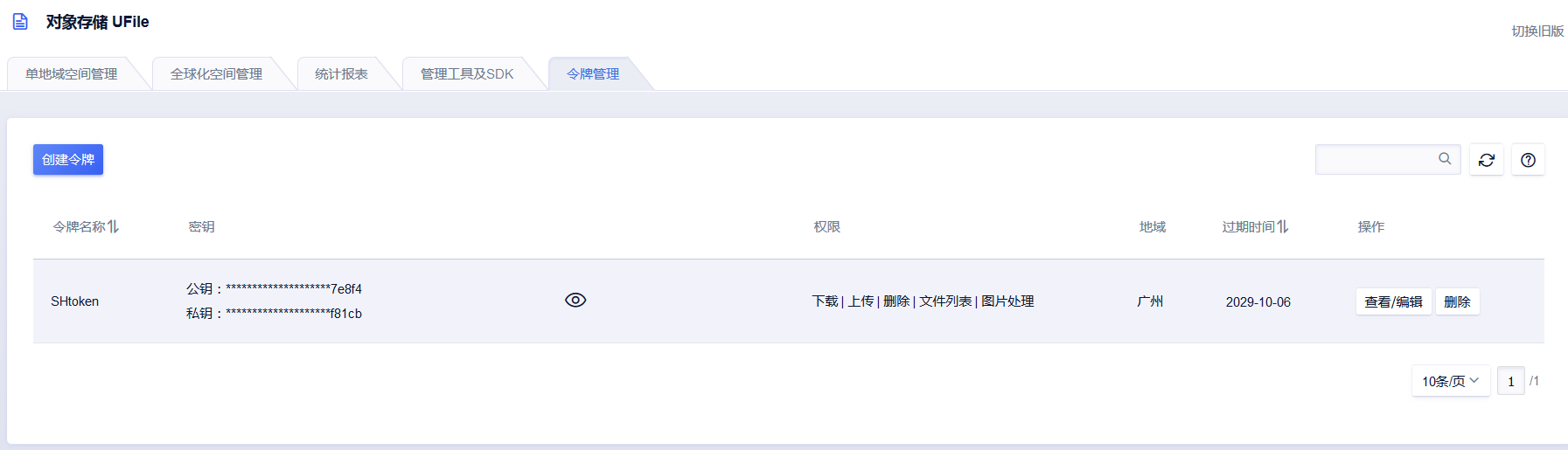
公钥、密钥在令牌管理里生成

为了方便修改,将这些固定信息放在xx.properties文件里

1
2
3
4
5
6
7
8
9
10
11
12
13
14
15
16
17
18
19
20
#md编辑器的图片上传表单的name参数值,由插件表单决定的固定值
Md_Editor_imageFile_name=editormd-image-file

#是否允许图片上传服务修改文件的名字
ImageUploadService_isAllownRename=true

#ucloud对象存储 java JDK https://github.com/ucloud/ufile-sdk-java
#ucloud对象存储,令牌SHtoken,https://console.ucloud.cn/ufile/token
ucloud_uFile_SHtoken_PublicKey=123456
ucloud_uFile_SHtoken_PrivateKey=123456

#命名空间的名字
ucloud_uFile_bucket_name=shirtinycn
#命名空间bucket所在的地区编码,地区编码列表 https://docs.ucloud.cn/api/summary/regionlist.html
ucloud_uFile_bucket_region=cn-gd
#域名后缀ufileos.com
ucloud_uFile_bucket_proxySuffix=ufileos.com

#临时下载地址的过期时间,315360000 --> 10 * 365 * 24 * 60 * 60s = 10年
ucloud_uFile_downloadURL_expiresDuration=315360000

文件上传Service

  • 接口:
1
2
3
4
5
6
7
8
9
10
package cn.shirtiny.community.SHcommunity.Service;

import java.io.InputStream;

public interface ImageService {
//图片文件上传
String upload(InputStream inputStream, String mimeType, boolean allownRename, String clientFileName);
//生成随机文件名
String createRandomName(String clientFileName);
}
  • 实现类:

授权以及配置

1
2
3
4
// 对象相关API的授权器
ObjectAuthorization OBJECT_AUTHORIZER = new UfileObjectLocalAuthorization(myPublicKey, myPrivateKey);
// 对象操作需要ObjectConfig来配置您的地区和域名后缀
ObjectConfig config = new ObjectConfig(region, proxySuffix);

执行上传

1
2
3
4
5
6
7
8
9
10
11
12
13
14
15
16
17
18
19
20
21
22
23
24
25
26
27
PutObjectResultBean response;
{
try {
response = UfileClient.object(OBJECT_AUTHORIZER, config)
//可以使用文件的方式,此上传方法有很多同类型的方法
.putObject(inputStream, mimeType)
.nameAs(serverFileName)
//我命名空间的名字
.toBucket(bucketName)
/**
* 是否上传校验MD5, Default = true
*/
// .withVerifyMd5(false)
/**
* 指定progress callback的间隔, Default = 每秒回调
*/
// .withProgressConfig(ProgressConfig.callbackWithPercent(10))
/**
* 配置进度监听
*/
.setOnProgressListener(new OnProgressListener() {
@Override
public void onProgress(long bytesWritten, long contentLength) {
//已上传/总长度
System.out.println(bytesWritten + "/" + contentLength + "进度:" + (bytesWritten * 100) / contentLength + "%");
}
}).execute();

响应以及回显文件地址

1
2
3
4
5
6
7
8
9
//上传完成后,查看response,然后获得刚刚上传图片的临时地址
//上传成功RetCode是0,错误时的response:{"ResponseCode":400,"RetCode":-30010,"ErrMsg":"bucket not exist","X-SessionId":"0e9df91b-5d69-4e9b-bfeb-5d9b8c182869"}
if (response.getRetCode() == 0) {
//获取刚刚上传的文件地址,设置过期时间
downloadUrl = UfileClient.object(OBJECT_AUTHORIZER, config)
.getDownloadUrlFromPrivateBucket(serverFileName, bucketName, expiresDuration)
.createUrl();
return downloadUrl;
//出错时,throw new Md_ImageUploadFailedException(e.getMessage());

全局异常处理

1
2
3
4
5
6
7
8
9
10
11
12
13
14
package cn.shirtiny.community.SHcommunity.Advice;

import ...

@ControllerAdvice//结合@ExceptionHandler用于全局异常的处理
public class myControllerAdvice {
@ExceptionHandler(Md_ImageUploadFailedException.class)
@ResponseBody
public Md_ImageUpResultDTO uploadFileErr(Throwable e){
System.out.println("文件上传失败");
//返回图片上传的失败结果,以及错误信息
return new Md_ImageUpResultDTO(0,e.getMessage(),null);
}
}

Md_ImageUploadFailedException是自定义的异常。

3. 后端完整代码

Controller

1
2
3
4
5
6
7
8
9
10
11
12
13
14
15
16
17
18
19
20
21
22
23
24
25
26
27
28
29
30
31
32
33
34
35
36
37
38
39
40
41
package cn.shirtiny.community.SHcommunity.Controller;

import ...

@Controller
public class ImageController {

@Autowired
private ImageService imageService;

//md编辑器的图片上传表单的name参数值
@Value("${Md_Editor_imageFile_name}")
private String Md_Editor_imageFile_name;

//是否允许服务修改上传到服务器后的文件名
@Value("${ImageUploadService_isAllownRename}")
private boolean ImageUploadService_isAllownRename;

//md图片上传以及回显
@RequestMapping(value = "/imageUpload")
@ResponseBody
public Md_ImageUpResultDTO uploadImage(HttpServletRequest request){
//转换request
MultipartHttpServletRequest multipartRequest= (MultipartHttpServletRequest) request;
String downloadUrl="";
try {
//需要md图片表单提交的文件name
MultipartFile file = multipartRequest.getFile(Md_Editor_imageFile_name);
if (file != null) {
InputStream inputStream = file.getInputStream();
String contentType = file.getContentType();
String filename = file.getOriginalFilename();
//调用上传服务
downloadUrl = imageService.upload(inputStream, contentType, ImageUploadService_isAllownRename, filename);
}
} catch (IOException e) {
e.printStackTrace();
}
return new Md_ImageUpResultDTO(1,"上传成功!",downloadUrl);
}
}

Service

1
2
3
4
5
6
7
8
9
10
11
12
13
14
15
16
17
18
19
20
21
22
23
24
25
26
27
28
29
30
31
32
33
34
35
36
37
38
39
40
41
42
43
44
45
46
47
48
49
50
51
52
53
54
55
56
57
58
59
60
61
62
63
64
65
66
67
68
69
70
71
72
73
74
75
76
77
78
79
80
81
82
83
84
85
86
87
88
89
90
91
92
93
94
95
96
97
98
99
100
101
102
103
104
105
106
107
108
109
110
111
112
113
114
115
116
package cn.shirtiny.community.SHcommunity.Service.ServiceImpl;

import ...

@Service
public class ImageServiceImpl implements ImageService {
//公钥
@Value("${ucloud_uFile_SHtoken_PublicKey}")
private String myPublicKey;
//私钥
@Value("${ucloud_uFile_SHtoken_PrivateKey}")
private String myPrivateKey;
//bucket地域
@Value("${ucloud_uFile_bucket_region}")
private String region;
//域名后缀
@Value("${ucloud_uFile_bucket_proxySuffix}")
private String proxySuffix;
//名字
@Value("${ucloud_uFile_bucket_name}")
private String bucketName;

//临时下载地址的过期时间
// 2 * 60秒 --> 2分钟后过期,315360000 --> 10 * 365 * 24 * 60 * 60 = 10年
@Value("${ucloud_uFile_downloadURL_expiresDuration}")
private int expiresDuration;


/**上传文件
* @param inputStream 文件的流
* @param mimeType 文件的ContentType
* @param allownRename 是否需要、允许修改文件上传到服务器后的名字
* @param clientFileName 初始文件名
* @return downLoadUrl 返回刚刚上传文件的临时地址
*/
@Override
public String upload(InputStream inputStream, String mimeType, boolean allownRename, String clientFileName) {
//文件上传到服务器后的名字
String serverFileName = clientFileName;
//临时下载地址
String downloadUrl = "";
//当允许重命名文件时,命名文件
if (allownRename) {
System.out.println("暂时先不重命名,到时候看一下id生成工具"+"emm百度开源的那个雪花算法的uidGenerator要用到数据库");
//暂时用以前自己写的,传到服务器后的文件名
serverFileName=createRandomName(clientFileName);
}
// 对象相关API的授权器
ObjectAuthorization OBJECT_AUTHORIZER = new UfileObjectLocalAuthorization(myPublicKey, myPrivateKey);
// 对象操作需要ObjectConfig来配置您的地区和域名后缀
ObjectConfig config = new ObjectConfig(region, proxySuffix);

//待上传文件
//File file = new File("your file path");
PutObjectResultBean response;
{
try {
response = UfileClient.object(OBJECT_AUTHORIZER, config)
//可以使用文件的方式
.putObject(inputStream, mimeType)
.nameAs(serverFileName)
//我命名空间的名字
.toBucket(bucketName)
/**
* 是否上传校验MD5, Default = true
*/
// .withVerifyMd5(false)
/**
* 指定progress callback的间隔, Default = 每秒回调
*/
// .withProgressConfig(ProgressConfig.callbackWithPercent(10))
/**
* 配置进度监听
*/
.setOnProgressListener(new OnProgressListener() {
@Override
public void onProgress(long bytesWritten, long contentLength) {
//已上传/总长度
System.out.println(bytesWritten + "/" + contentLength + "进度:" + (bytesWritten * 100) / contentLength + "%");
}
}).execute();
//上传完成后,查看response,然后获得刚刚上传图片的临时地址
//上传成功RetCode是0,错误时的response:{"ResponseCode":400,"RetCode":-30010,"ErrMsg":"bucket not exist","X-SessionId":"0e9df91b-5d69-4e9b-bfeb-5d9b8c182869"}
if (response.getRetCode() == 0) {
//获取刚刚上传的文件地址,设置过期时间
downloadUrl = UfileClient.object(OBJECT_AUTHORIZER, config)
.getDownloadUrlFromPrivateBucket(serverFileName, bucketName, expiresDuration)
.createUrl();
return downloadUrl;
}
} catch (UfileClientException | UfileServerException e) {
throw new Md_ImageUploadFailedException(e.getMessage());
}
}
return downloadUrl;
}

@Override
public String createRandomName(String clientFileName) {
//拿到文件后缀名
String suffix = clientFileName.substring(clientFileName.lastIndexOf("."));
//根据当前日期,伪建一个文件夹
String directory = new SimpleDateFormat("yyyy-MM-dd").format(new Date());
//生成新的文件名
//时间戳
long currentTimeMillis = System.currentTimeMillis();
//随机数
Random random = new Random();
int randomInt = random.nextInt(999);
//%X 获得数字,把它转为16进制,大写字母
//%04X 增加的04,意思是,转化后的字符串占4个字符,不够用0填充
String fileId=currentTimeMillis+String.format("%04X",randomInt);
//组合为传到服务器后的文件名
return directory+"_"+fileId+suffix;
}
}

4. Editor.md 拓展

Md编辑器内容提交、显示,VueJs+Element组合的简单使用。

提交编辑的内容

  • 前端

1
2
3
4
5
6
7
8
9
10
11
12
13
14
15
16
17
18
19
20
21
22
<div class="col-xs-12  col-sm-9 row_left" id="vue_Editor">
<!-- 编辑文章标题 -->
<div class="input-group input-group-lg margin_top">
<span class="input-group-addon" id="sizing-addon1">title</span>
<input v-model="md_title" class=" form-control" type="text" placeholder="在此输入标题..."
aria-describedby="sizing-addon1"
name="title">
</div>
<hr/>
<!--编辑文章内容-->
<h2><label for="content">Content</label></h2>
<!--md编辑器-->
<div id="editor" class="sh_MdEditor">
<textarea style="display:none;" name="content" id="content"
placeholder="在此输入文章内容..."></textarea>
</div>
<!--空文本错误警告-->


<!--提交按钮 -->
<button type="button" class="btn btn-success btn-lg float_right" @click="submitMd">发布</button>
</div>
1
2
3
4
5
6
7
8
9
10
11
12
13
14
15
16
17
18
19
20
21
22
23
24
25
26
27
28
29
30
31
32
33
34
35
36
37
38
39
40
41
42
43
44
45
46
47
48
49
50
51
52
53
54
55
56
57
58
59
60
61
62
63
64
65
66
67
68
69
70
71
72
<!--md编辑-->
<script type="text/javascript">
$(function () {
const vue_Editor = new Vue({
el: "#vue_Editor",
data:{
md_title:"",
fileUploadErr:false
},
methods: {
submitMd: function () {
//获得编辑区Markdown源码
var md_content=editor.getMarkdown();
console.log('输出title:\n'+vue_Editor.md_title);
console.log('输出content:\n'+md_content);
//提交数据给后台
axios.post('/createInvitation',{
title:vue_Editor.md_title,
content:md_content,
isAxios:true
}).then(function (response) {
//成功提交的情况
if (response.data.code==200){
//通知
vue_Editor.$notify({
title: 'OK~',
message: response.data.message+",即将跳转...",
type: 'success'
});
//2秒后调到最后一页
setTimeout(function () {
window.location.href="/?curPage=999999"
},2000);
}else if(response.data.code==400){
vue_Editor.$notify.error({
title: 'No~',
message: response.data.message
});
}
}).catch(function (error) {
this.$alert(error, '服务器出错', {
confirmButtonText: '确定'
});
console.log(error)
})
}
}
});

var editor = editormd("editor", {
width: "100%",
height: "100%",
// markdown: "xxxx", // dynamic set Markdown text
path: "/editormd/lib/", // Autoload modules mode, codemirror, marked... dependents libs path
delay: 0,
codeFold: true,
htmlDecode: true,
emoji: true,
//图片上传
imageUpload: true,
imageFormats: ["jpg", "jpeg", "gif", "png", "bmp", "webp"],
imageUploadURL: "/imageUpload", // Upload url
crossDomainUpload: false, // Enable/disable Cross-domain upload
uploadCallbackURL: "",
placeholder: '在此输入文章内容,使用markdown语法...',
description: "Markdown 文本编辑",
lang: { // Language data, you can custom your language.
description: "Markdown编辑器<br/>Markdown editor."
}
});
});
</script>
  • 后端

Controller
1
2
3
4
5
6
7
8
9
10
11
12
13
14
15
16
17
18
19
20
@Controller
public class InvitationController {

@Autowired
private IinvitationService invitationService;

@PostMapping(value = "/createInvitation")
@ResponseBody
public ShResultDTO createInvitation(@RequestBody Invitation invitation, Model model, HttpServletRequest request){

Long userId=((User)request.getSession().getAttribute("user")).getId();
invitation.setAuthorId(userId);
boolean flag = invitationService.addInvitation(invitation);
if(flag){
return new ShResultDTO<String>(200,"提交成功了哦~");
}else {
return new ShResultDTO<String>(400,"标题或内容不能为空,并且字数不能大于20和400");
}

}

其中ShResultDTO为返回信息的封装

1
2
3
4
5
6
7
8
9
10
11
12
13
14
15
16
17
18
19
20
21
22
23
24
25
package cn.shirtiny.community.SHcommunity.DTO;

import lombok.Data;

@Data
public class ShResultDTO<T> {
//状态码
private Integer code;
//信息
private String message;
//数据
private T data;
//错误
String error;

public ShResultDTO(Integer code, String message) {
this.code = code;
this.message = message;
}

public ShResultDTO(String message, String error) {
this.message = message;
this.error = error;
}
}
Service

接口省略…

1
2
3
4
5
6
7
8
9
10
11
12
13
14
15
16
17
18
19
20
21
22
23
24
25
26
27
28
29
@Service
@Transactional
public class InvitationService implements IinvitationService {

@Autowired
private InvitationMapper invitationMapper;

//增加帖子
@Override
public boolean addInvitation(Invitation invitation) {
if (invitation == null) {
return false;
}
boolean titleIsEmpty = StringUtils.isEmpty(invitation.getTitle());
boolean contentIsEmpty = StringUtils.isEmpty(invitation.getContent());
//判断标题或内容是不是空、标题或内容长度是否超限
if (titleIsEmpty || contentIsEmpty || invitation.getTitle().length() > 20 || invitation.getContent().length() > 2000) {
return false;
} else {
invitation.setGmtCreated(System.currentTimeMillis());
invitation.setGmtModified(invitation.getGmtCreated());
try {
invitationMapper.insert(invitation);//插入数据库
return true;
} catch (Exception e) {
throw new CreateInvitationErrException(e.toString(),4502);
}
}
}

其中CreateInvitationErrExceptio为自定义异常类

全局异常处理
1
2
3
4
5
6
7
8
9
10
@ControllerAdvice//结合@ExceptionHandler用于全局异常的处理
public class myControllerAdvice {

@ExceptionHandler(CreateInvitationErrException.class)
@ResponseBody
public ShResultDTO createInvitationErr(Throwable e){
System.out.println("帖子提交失败,数据库的异常,在应该是InvitationService里抛出");
return new ShResultDTO(4502,e.getMessage());
}
}

在Vue对象中对Markdown的解析

1
2
3
4
5
6
7
8
9
10
11
12
13
14
15
16
17
18
19
20
21
22
23
24
25
26
27
28
29
30
31
32
33
34
35
36
37
38
39
40
41
42
<!--md查看器-->
<div id="md_viewer" class="sh_MdViewer">
<textarea style="display:none;"></textarea>
</div>

<!--vueJs-->
<script>
const vue_invitationDetail_paper = new Vue({
el: "#vue_invitationDetail_paper",
data: {
//不能用数字,js精度不够
invitationId: '',
//帖子对象
invitationDetail: {},
//评论数组
comments:[],
user: {},
//未发送的评论内容
commentContent: '',
},
created: function () {
//获取帖子id
this.getInvitationIdFromUrl();
console.log("拿到的帖子id为:" + this.invitationId);
//调用api,初始化数据
axios.get('/shApi/invitationDetail/' + this.invitationId).then(res => {
console.log("获取到的数据:");
this.invitationDetail = res.data.data.invitationDetail;
this.user = res.data.data.user;
this.comments=res.data.data.invitationDetail.comments;
//帖子内容
let content = res.data.data.invitationDetail.content;
console.log("帖子内容" + content);
//把帖子内容解析为markdown
editormd.markdownToHTML("md_viewer", {
markdown: content, //这里动态的设置md内容
htmlDecode: true // Enable / disable HTML tag encode.
});
});
}
})
</script>