H2数据库

H2数据库、SpringBoot配置、IDEA 数据库管理

H2数据库

体积小,轻便,可以嵌入到应用中的数据库。

简要提一下。

  • 官网的QuickStart

  • Maven依赖
1
2
3
4
5
6
7
<!-- h2数据库-->
<dependency>
<groupId>com.h2database</groupId>
<artifactId>h2</artifactId>
<version>1.4.199</version>
<scope>runtime</scope>
</dependency>
  • SpringBoot配置

application.properties

1
2
3
4
5
#h2数据库配置
spring.datasource.url=jdbc:h2:~/H2database
spring.datasource.username=***
spring.datasource.password=***
spring.datasource.driver-class-name=org.h2.Driver

application.yml

1
2
3
4
5
6
7
8
9
# h2 DataSource Config
spring:
datasource:
driver-class-name: org.h2.Driver
schema: classpath:db/schema-h2.sql
data: classpath:db/data-h2.sql
url: jdbc:h2:~/H2database
username: ***
password: ***

需要引入spring-jdbc,自动配置嵌入式的数据库

spring-jdbc

1
2
3
4
5
<!--    spring-jdbc 自动配置嵌入式数据库   -->
<dependency>
<groupId>org.springframework.boot</groupId>
<artifactId>spring-boot-starter-data-jpa</artifactId>
</dependency>
  • IDEA连接H2数据库

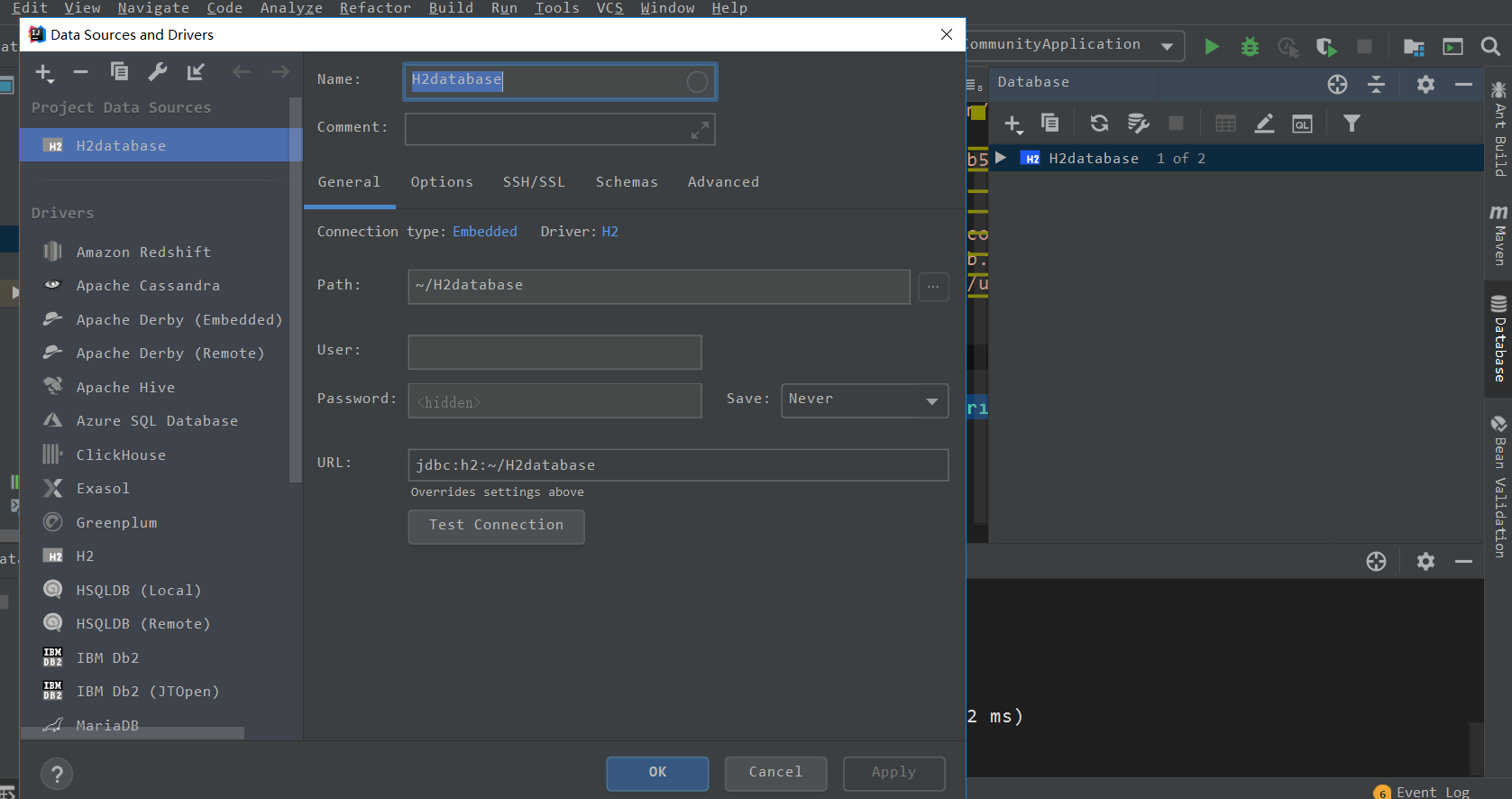
这里提一下,应该都知道的,idea自带有数据库管理的。

这样填,选Embedded(嵌入),用户密码可以不设,path是路径,~是当前用户的文件夹,H2database是数据库名
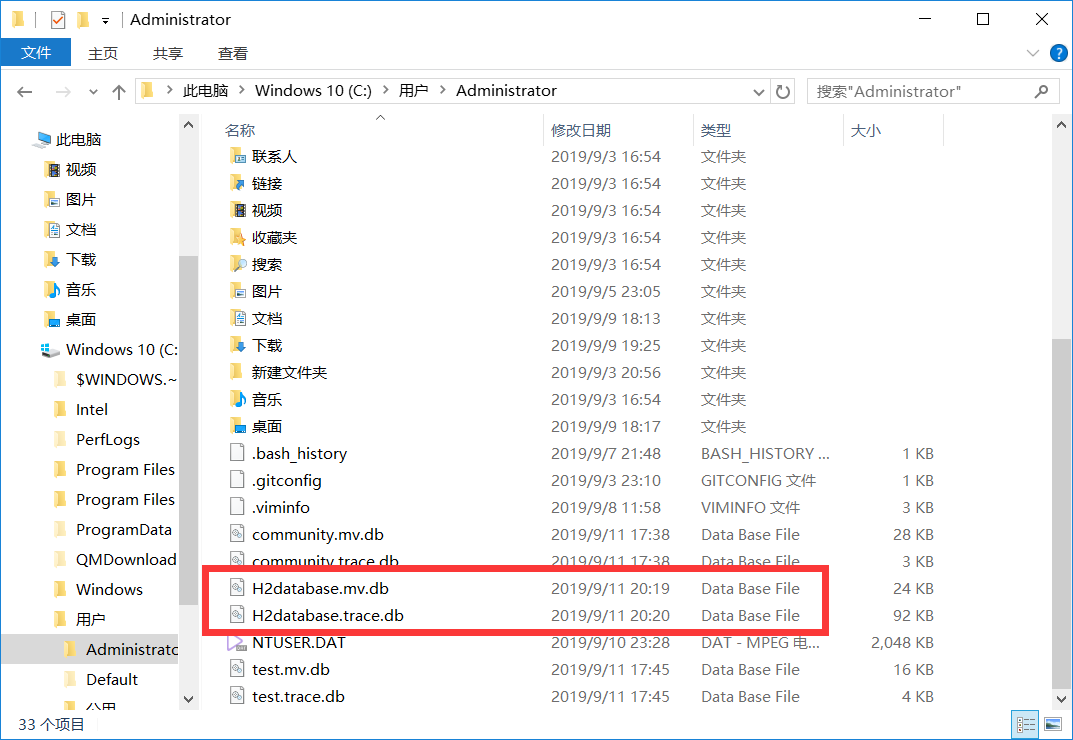
比如图中的h2数据库实际位于(~/H2database):
测试用的数据表

1
2
3
4
5
6
7
8
9
10
11
12
13
14
15
16
17
18
19
20
21
22
23
24
25
26
create table USER
(
ID BIGINT auto_increment,
NICKNAME VARCHAR(100) not null,
PASSWORD VARCHAR(100),
EMAIL VARCHAR(200) not null
constraint USER_EMAIL_UINDEX
unique,
AVATARIMAGE VARCHAR(500),
GITHUB_ID VARCHAR(500)
constraint USER_GITHUB_ID_UINDEX
unique,
GMT_CREATE BIGINT not null,
GMT_MODIFIED BIGINT not null,
constraint USER_PK
primary key (ID)
);

comment on table USER is '论坛的用户表';

comment on column USER.GMT_CREATE is '创建时间戳';

comment on column USER.GMT_MODIFIED is '变更时间戳';

create unique index USER_ID_UINDEX
on USER (ID);

其他数据库,像MySQL也是类似配置,顺便附Mybatis的Spring Boot配置:

Maven依赖

1
2
3
4
5
6
<!--     mybatis   -->
<dependency>
<groupId>org.mybatis.spring.boot</groupId>
<artifactId>mybatis-spring-boot-starter</artifactId>
<version>2.1.0</version>
</dependency>

Gradle的依赖

Gradle和Maven作用类似,还是很好用的,只是网好像有点慢,可能是我网络的问题。

1
2
3
dependencies {
compile("org.mybatis.spring.boot:mybatis-spring-boot-starter:2.1.0")
}

mybatis下划线转驼峰

如:user_id -> userId

实际上就是把数据库表中的字段下划线去除,然后再设置大小写不敏感。这是springboot里的配置方式:

application.properties

1
mybatis.configuration.map-underscore-to-camel-case=true

顺便回顾下SSM的:

mybatis的配置文件,在<configuration标签配置:

1
2
3
<settings>
<setting name="mapUnderscoreToCamelCase" value="true"/>
</settings>

最后,推荐MyBatis-Plus,很好用。

然后是springboot的文档
